On this page
Some of these apps have thousands of downloads—and are convincing enough to make users believe they’re legitimate.
We’ve covered similar campaigns before, but with cryptocurrency prices rising and more users entering the space, it’s critical to highlight this again:
Even apps from trusted platforms like Google Play can be malicious.
Related research:
- Intercepting and Saving $5,000 Worth of Phished Crypto
- Discovering Fake Browser Extensions Targeting Crypto Users
Overview
During a recent review of the Google Play Store, we identified multiple malicious applications impersonating legitimate cryptocurrency services.
These apps targeted users of:
- DAI Stablecoin (MakerDAO)
- Trust Wallet
- MyEtherWallet
- Coinbase
- Jaxx
While Google Play does not disclose exact install counts, available indicators show at least 15,120+ installations across these apps.
How the Attack Works
The functionality of these apps is deceptively simple:
- Present a familiar UI mimicking a legitimate wallet
- Prompt users to enter sensitive data (e.g., seed phrase, private key)
- Transmit the data to attacker-controlled infrastructure
- Display a fake error message
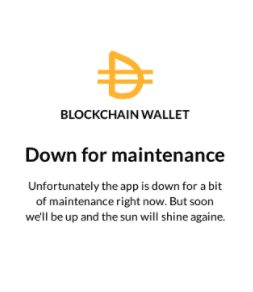
⚠️ The app does nothing else—its sole purpose is credential theft.
Most Impacted Apps
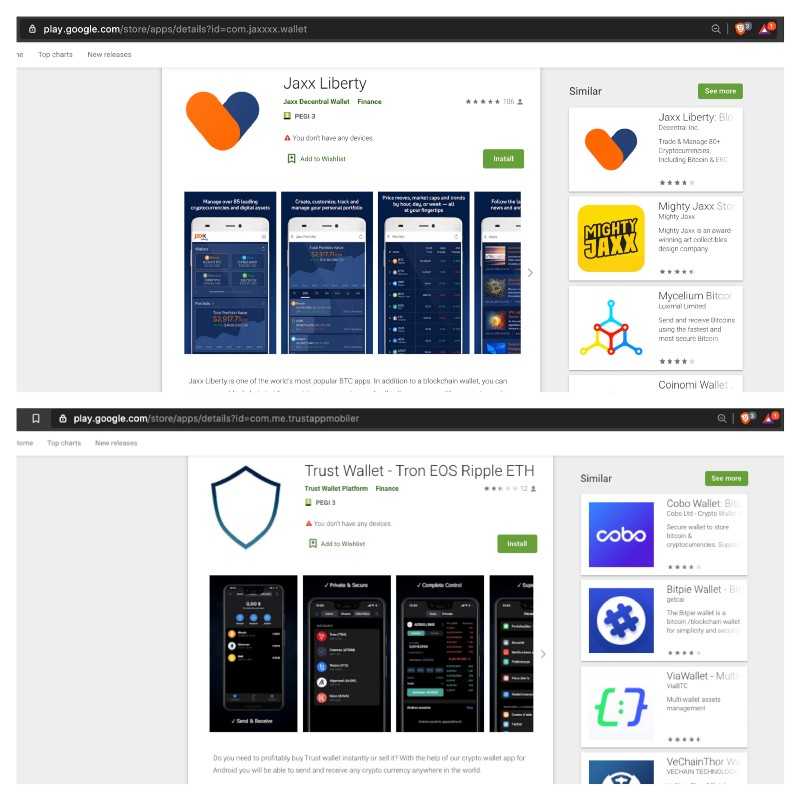
Some of the most widely installed malicious packages include:
com.jaxxxx.wallet(Jaxx)com.libertyjaxxxx.app(Jaxx)com.jaxxlite.wallet(Jaxx)com.me.trustappmobiler(Trust Wallet)blockwallet20.bitcoin.wallet.btc(Trust Wallet)
Investigation
Data Exfiltration Methods
Analysis of the APKs revealed multiple exfiltration mechanisms:
- Custom attacker-controlled domains
- Firebase backends
- Direct transmission via Telegram bots
Telegram-Based Command & Control (C2)
Several apps sent stolen data directly to Telegram bots. These bots acted as:
- Credential collectors
- Data aggregation points
- Potentially distribution hubs for malware
Example bot metadata:
bot1359124399
#/getMe
{
  "id": 1359124399,
  "is_bot": true,
  "username": "mew0000basimo_bot"
}
bot1408793069
#/getMe
{
  "id": 1408793069,
  "is_bot": true,
  "username": "blocc00chain5555_bot"
}
Identified Operators
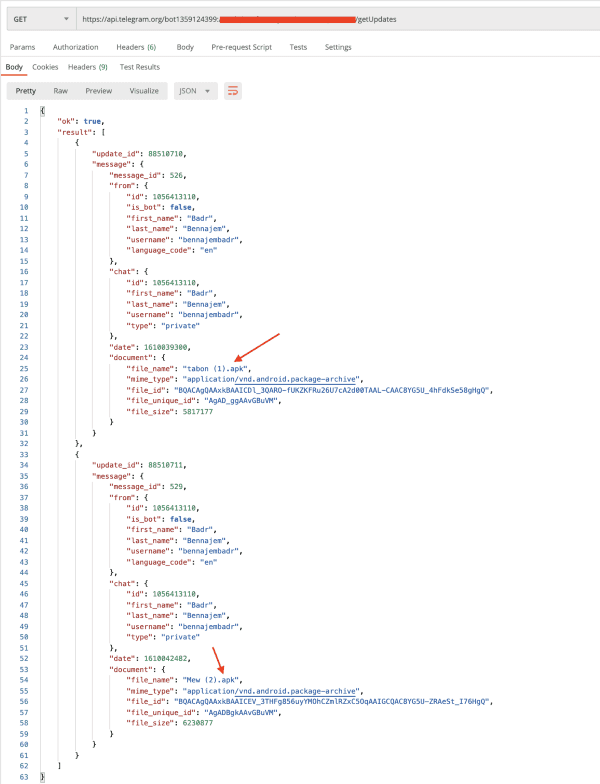
Based on Telegram API responses, two individuals appear to be operating these campaigns:
- Badr Bennajem (
bennajembadr) - Reda TM (
pingo0a)
Additional Findings
One particularly interesting observation:
Some bots were storing APK files directly in chat logs
These files appeared to be:
- New phishing app builds
- Shared between operators
- Timestamped (e.g.,
2021-01-07)
This suggests a lightweight distribution mechanism for ongoing campaigns.
Code & Infrastructure Insights
Reverse engineering revealed:
Targeting of MyEtherWallet users
Data sent to Firebase project:
smsscam-9d08d
Indicators of reused phishing kits:
- References to SMS collection flows
- Mobile number input fields
Even when Firebase was used, data was also duplicated to Telegram, ensuring attackers retained access.
Dataset (Indicators of Compromise)
Below is a subset of collected indicators.
Malicious APKs
apk_ids,reported_installs
com.jaxxxx.wallet,"10,000+"
com.libertyjaxxxx.app,"1,000+"
com.jaxxlite.wallet,"1,000+"
com.me.trustappmobiler,"1,000+"
blockwallet20.bitcoin.wallet.btc,"1,000+"
Command & Control Infrastructure
c2,apk_ids
api-project-751842291101.firebaseio.com,"multiple"
api.telegram.org/bot1359124399:<secret>,"multiple"
jxxll.fun,"jaxx variants"
libertyjaxx.live,"jaxx variant"
Infrastructure Mapping
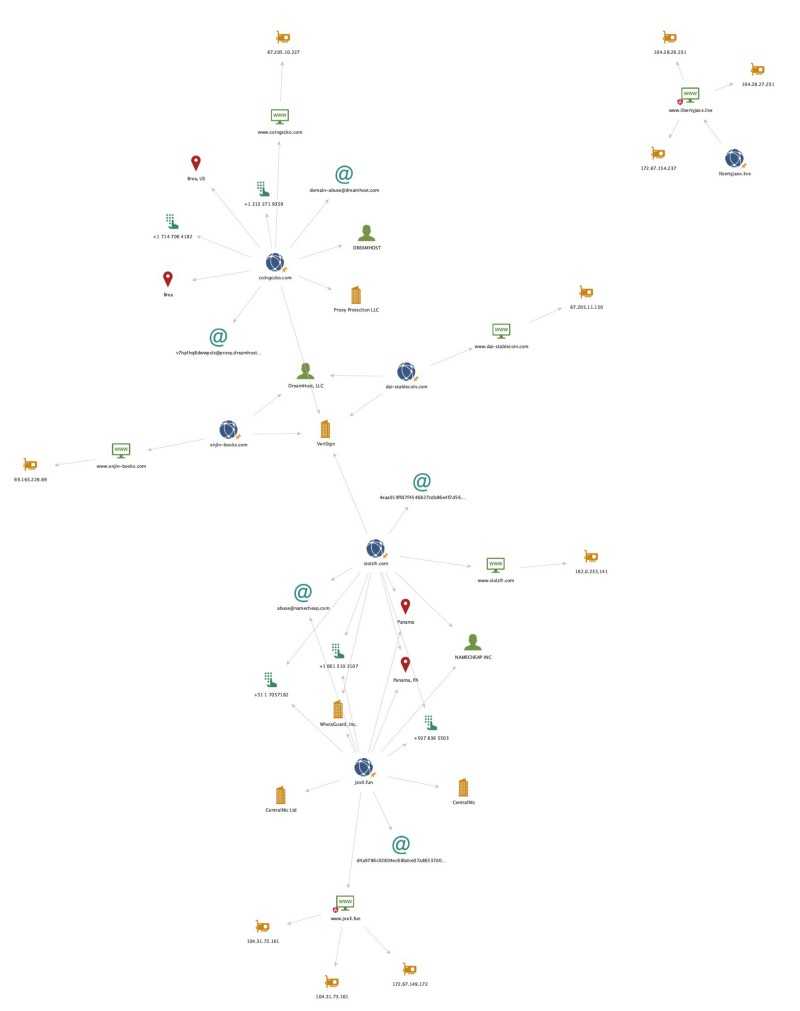
Using Maltego, we identified overlaps in infrastructure:
Why This Works
These attacks succeed due to a combination of:
- Brand impersonation (trusted wallet names)
- Platform trust (Google Play perceived as safe)
- User urgency (crypto market hype)
- Lack of verification by users
The attack doesn’t rely on exploits—just trust.
How to Protect Yourself
If you suspect you’ve entered sensitive data into a malicious app:
1. Move Your Funds Immediately
Generate a new wallet/seed phrase
Use verified software only:
2. Audit Your Device
- Uninstall suspicious apps
- Review installed applications
- Check for unknown permissions or behavior
3. Verify Before Installing
Always:
Download apps only from official websites
Verify:
- Developer name
- App package name
- Reviews (watch for fake ones)
4. Learn Safe Practices
Final Thoughts
This campaign reinforces a critical lesson:
Distribution through a trusted platform does not guarantee safety.
Attackers are increasingly leveraging:
- Legitimate marketplaces
- Familiar branding
- Simple phishing flows
As crypto adoption grows, so does attacker sophistication.
Stay vigilant—and never trust an app with your keys unless you’ve verified it independently.